 Updated December 01, 2025
 37 min 9 sec estimated read time
Welcome to the Q3 ESO quarterly product update, where we take a look at the innovations, upgrades, and changes happening behind the scenes at ESO, along with those to come as we wrap up the year in Q4. 2025 has been full of progress, with NERIS and AI-driven advancements leading the charge, so get ready for many exciting new things on the horizon!
Content applicability by product:
| Building Blocks | EMS | Fire | Hospital | State |
| EHR | Ultrasound | X | |||
| Logis | Simulation and Training Tool | X | |||
| Logis | Patient Lookup in Epic | X | |||
| Patient Registry | Real-time ACS Submissions | X | |||
| Fire Incidents | NERIS Update | X | |||
| Properties | GIS/Mapping Beta | X | |||
| Permits | Customized Print by Permit Type | X | |||
| Data | Adhoc Parity | X | X | X | X |
| Data | Query Builder GA | X | X | X | X |
EHR | Ultrasound Now Available
In emergency medicine, where every second counts, your clinicians need tools that streamline workflows, reduce cognitive load, and ensure accurate documentation without slowing down patient care. To help with all of the above, ESO introduced a brand-new ability to document Ultrasound in EHR in Q3.
The Ultrasound feature is designed to make documentation more intuitive and efficient with:
- Configurable Exams that allow your agency to document various exam types such as Cardiac, Thoracic, Abdominal FAST, AAA, and OB (Pregnancy). When you select a type, relevant fields will be displayed to help streamline the documentation process. There is also an “Other” category for exam types that are not yet provided.
- Advanced Configuration and Efficiency: If your agency performs RUSH or eFAST exams, your admin can now set up configuration for these exam types.
Why It Matters
Ultrasound is no longer just a diagnostic tool; it’s a cornerstone of modern emergency care. By embedding ultrasound documentation directly into EHR, your team can:
- Reduce Manual Entry: No more juggling between devices or paper notes.
- Improve Accuracy: Minimize errors and enhance clinical decisions with real-time data capture.
- Enhance Patient Care: Spend less time documenting and more time focusing on patients.
What Next
If you’re ready to start documenting in Ultrasound today, talk to your local administrator to review the configuration settings in Admin:
- Ultrasound flowchart can be turned on in Admin > EHR > Flowchart Tab > Other
- To turn on RUSH or eFAST options: Configure exam types via Admin > EHR > Flowchart Tab > Configurable Lists and Configurable Fields
Logis | Simulation and Training Tool
We’re thrilled to announce the launch of our Simulation and Training Tool, designed to help your team practice for high-pressure scenarios by improving both your workflows and operational readiness without ever having to impact live environments. This powerful module enables your organization to simulate real-world scenarios using historical or randomly generated data, giving trainers full control over complexity and pacing.
Key Features:
- Dataset Management: Build datasets from historical resources, transfers, and incidents, with flexible filtering and anonymization options.
- Scenario Designer: Create custom scenarios with time-shifting, booking configurations, and stress-level adjustments.
- Random Data Generation: Generate up to 10,000 realistic records for large-scale training.
- Fast Cleanup: Quickly remove simulation objects after training sessions.
Benefits:
- Realistic Training: Prepare staff for high-pressure situations in a safe, controlled environment.
- Improved Decision-Making: Test system behavior and workflows before they go live.
- Data Privacy: Protect sensitive information with built-in anonymization.
This feature is now available as a licensed module. To get started, enable the Simulation and Training Access Right and then navigate to the new module under your system menu.
Logis | Patient Lookup in Epic
You can now access patient information easier than ever before thanks to an exciting new capability in Logis Dispatch and Billing that allows you to look up patient demographics directly in Epic in addition to existing local patient databases. This ensures that your team has access to the most accurate and up-to-date patient details, helping to improve overall workflow efficiency, and enhance decision-making.
Why this matters:
- Broader data access: Combine local records with Epic’s comprehensive demographic information.
- Improved accuracy: Reduce discrepancies by referencing a trusted source.
- Streamlined operations: Save time by eliminating the need for manual cross-checks.
This enhancement is just one of the many ways that ESO is committed to delivering tools that make your work easier and more effective.
Patient Registry | Real-time ACS Submissions
We’re excited to announce that near real-time ACS Submissions are coming to Patient Registry early 2026. While traditional ACS submissions have relied on batch uploads, creating delays and manual overhead for registrars, this new capability will automatically send a secure submission to the ACS once an encounter is locked. This eliminates extra steps for your team while ensuring your data reaches ACS promptly for validation and reporting, streamlining workflows and improving overall compliance efficiency.
In addition, ESO is also developing an Encounter Dashboard to give you real-time visibility into submission status. These enhancements will enable ESO users to enjoy faster, more reliable data exchanges with ACS.
Fire Incidents | NERIS Update
ESO is fully prepared to ease you through your transition to full-time, live NERIS Reporting. Here are a few of our newly released and upcoming integrations and features that will help us better support you:
CAD Integration:
- Flowing CAD data into NFIRS and NERIS allows you to use both until you’re ready to go live.
- Auto-imported CAD records will now show an import button notification in the incident header when new data is available to be updated.
- Incident type mapping under Settings > Import configuration allows you to map CAD call nature data to Primary incident type.
Insights Reporting
Starting in Q4, your department will now have access to Fire Incidents Insights data, in addition to several global reports.
Self-Service Enablement
You can now mark a batch of records as inactive or set inactive records back to draft from the Incidents grid if you have the “Deactivate records” permission.
Incident Attachments
You can now access the attachments page for each Incidents record by having the manage records attachments permission activated.
NERIS Public Data API
If your team is currently using our public external API for NFIRS data retrieval, you will now have access to our new Public Data API for NERIS. The transition to the new NERIS Public Data API is included in your current ESO Fire Data API subscription, so there is no additional cost. To get started, you’ll need to obtain new API keys and authentication tokens via our API Management (APIM) platform.
If you already have an API subscription:
- Visit our Public API Portal at https://public-api-portal.esosuite.net/.
- Register to obtain your new API keys and tokens.
- Follow the steps outlined in the Setup Guide.
If you work with external vendors or third-party integrators who retrieve data from our API on your behalf, they will also need to register separately for API access, seek approval through our vendor authorization process, and update their integration to use the new NERIS API endpoints.
If you would like to purchase the NERIS Public Data API, please reach out to your ESO Account Manager.
If you’re a current ESO customer, you can see all video trainings here for the new Incidents product.
Properties | GIS/Mapping Beta
ESO’s Properties, now in the Beta stage, offers a modern interface, with both list and map views, so you can easily access and visualize your records. This enhancement will allow you to easily visually locate properties on the map, then seamlessly switch back to list views for easier navigation and context.
In list view:
- Search for records by name or address.
- Use “Filters” and “Selected view” to narrow results; filters stay active between sessions.
- Select multiple records for batch inspections with the checkboxes.
In map view:
- Search and filter records as in the list view.
- Pan, zoom, and toggle record types on the map.
- Hover over pins for quick info before selecting.
In summary view:
- Click a map record to see details, status, images, and inspection history.
- Schedule inspections directly from the summary.
- Use “Open record” to view details in a new tab without leaving the map.
If you prefer the classic Properties interface, you can return to it at any time through the “Beta Options” located on the left navigation panel. This feature ensures that engagement with the Beta does not interfere with your existing workflows, particularly in cases where unresolved issues or critical improvements are necessary for daily operations.
Permits | Customized Print by Permit Type
Permits has a new and improved feature that allows you to quickly and easily create several Permit Templates and link them to various Permit types. Just head to Permits > Settings > Printed Permit to get started on arranging the Printed Permit Configurations that work best for your team. Each configuration requires a name and can also include custom text and/or a watermark if desired.
Once established, these Printed Permit Configurations can be assigned to one or more Permit Types. Please note that each Permit Type can only have one Permit Configuration at any given time.
Data | Adhoc Parity
To help support you as you transition away from Adhoc, several key tools were added to the ESO Data Platform, including:
- Improved PDF Exporter – this Insights plugin will help smooth out any issues you may have had with PDF exports, including table widget pagination and unexpected widget cropping. Stay tuned for a new dashboard scheduler for the new PDF exporter in December.
- Query Builder– an upgraded replacement for Data Exporter, Query Builder brings several key features to the table, including calculated columns and fully flexible filtering with nested AND/OR logic. You can learn more below.
- Integrated Fire+EMS+CAD data model for Insights – this data model allows you to see your Fire Incidents and EHR data together in a single Insights dashboard.
- “Day of Week” data model enhancements – The new “Day of Week” column in EHR, Fire Incidents, HDE, and Shared Apps displays a sortable text value for the day of the week associated with date-time columns in your Insights data models.
Data | Query Builder GA
Great news! The next-generation replacement for Data Exporter, Query Builder offers a more powerful, flexible, and user-friendly way to access and export data, and it is now available for your team!
Why Query Builder?
- More Control: Filter any column in your data model with advanced logic (AND/OR, nested logic, ranges, equals/not equals).
- Calculated Columns: In-product calculations provide consistency across reports without having to manually apply complex formulas.
- Flexible Output: Choose from Flat, Long, or Wide formats to match your exact needs. The “wide” format was specifically designed for Patient Registry data exporting requirements.
- User-Friendly Design: Add drag-and-drop ease to visual query building.
- Instant Results: No more waiting for hourly batch runs—queries execute immediately.
- Reusable Filters: Save and share custom filter sets across your agency.
- Scheduled Exports: Automate recurring reports with secure email delivery.
All available at no additional cost to your team.
Cross-Product / ESO Suite | In-App Enhancements
In Q3, we received an incredible 1,266 feedback submissions from our community. Key themes included:
- Usability Improvements – The ESO community is requesting enhancements to improve navigation, search functionality, and user interface design, citing challenges with data entry, inconsistency in interfaces, and difficulty locating specific features or items.
- Customization and Flexibility – There is a strong demand for more customizable features, such as custom fields, templates, and automated processes to better fit user-specific workflows and requirements.
- Data Management and Integration – Many ESO users desire better data import-export capabilities, seamless integration with other systems like CAD, and improved validation and synchronization to ensure data accuracy and ease of use.
- Notifications and Alerts – There have been numerous requests for enhanced notification systems, including reminders for expiring assets, upcoming inspections, and task completions to improve efficiency and reduce manual tracking.
- Reporting and Filtering – Many users seek more advanced reporting and filtering options, such as query report creation, filtering multiple criteria, and better visibility of key data points to streamline operations and enhance decision-making.
Our Product teams will continue to follow up directly by email when your submitted feedback aligns with ideas that progress into discovery, design, or development — helping to close the loop and keep communication open as ideas evolve. We encourage you to review each of our Ideas Portals and continue to give us feedback so that we can use your input to aid our roadmap decisions.
What to expect next
We have a few more exciting enhancements on the way, so be sure to check out release notes in the Q4 product blog, but here’s a preview of a few updates and enhancements to come:
EMS
- NEMSIS 3.5.1 Compliance
Fire
- NERIS Fire Incidents Enhancements including global Insights reports
- NERIS Scheduling & EHR Integrations
Hospital
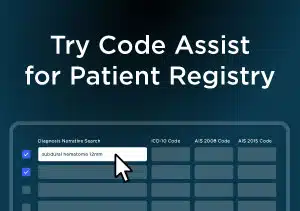
- Code Assist: Our new AI-driven coding tool for ESO Patient Registry is here! Released in late November, Code Assist dramatically accelerates the coding process by suggesting ICD-10 and AIS codes based on diagnosis narratives, reducing manual effort and improving accuracy. Beta testing has shown impressive results, with coding time for complex records dropping from an hour to just 15 minutes and accuracy outperforming legacy tools. The feature will be available to your team at no additional cost, and your admin can enable it via Registry Admin. This is a major step forward in ESO’s responsible use of AI to simplify workflows and enhance compliance.
Cross-Product / ESO Suite
- In Q4, ESO will launch exciting new features to our Customer Portal, including:
- Self-Service First Approach: With more intuitive navigation and easier-to-find information, you can quickly find the answers you need without filling out a support ticket.
-
- Integrated Knowledge Base & Case Tracking: Additional help articles and new case status indicators help you resolve issues quickly and efficiently and easily track support progress.
-
- Role-Based Access: A new navigation link in ESO Suite and in the Resource Center allow your admin to access the Portal and manage tickets more efficiently, ensuring the right requests reach the right teams without delay.
-
- Consistent Design Patterns and Personalization: A unified design system makes for easier, more seamless navigation.
-
- Community Features for Peer Support: Discussion spaces and topic bundling will allow you to share and receive helpful tidbits and best practices with other organizations in the ESO community.
-
- AI-Driven Assistance: An exciting new AI feature will help you find the content you need on demand, so you don’t need to wait on support tickets.
About Product Management at ESO
The ESO Product Management team creates the Product Roadmap, informing what products, features, and functionality are built next. Through collaboration with support, sales, customer success, industry experts, and most importantly, customers like you, our team works hard to create the best apps possible for advancing our mission of improving community health and safety through the power of data.
Over the past year, we’ve invested in world-class tools that allow us to capture customer product feedback at scale and, in turn, make more informed roadmap decisions. These tools enable us to quickly test ideas in order to deliver features that are most valuable to you. We value your input and hope you continue to engage with us through our continuously expanding in-app capabilities.
Want to take a look at the progress made on the ESO Product Roadmap in the past year? Check out the 2025 ESO Updates Quarterly Product Enhancements blog posts below: